
How to Set Up Call Forwarding
Although your Team Engine number is designed for texting, you can still receive phone calls by enabling call forwarding. This allows any calls made to your Team Engine messaging number to automatically forward to a phone number of your choice.
How to Set Up Call Forwarding
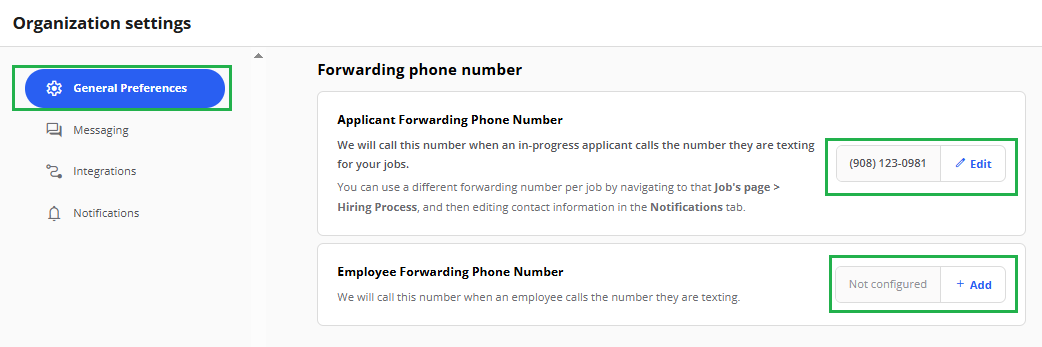
- Navigate to Company Settings.
- Locate the Employee Forwarding Phone Number or Applicant Forwarding Phone Number field.
- Enter the phone number where you would like calls to be forwarded.
- Save your changes.
Once configured, any calls made to your Team Engine messaging number will automatically forward to the phone number you entered.