
How to Use Personalization in Direct Messages
Personalization Tokens are now available in Direct Messages!
You can automatically add recipient-specific details from their Team Engine profile, making your messages more relevant and personalized without extra manual work.
How to Use Personalization Tokens
When sending a 1-on-1 or individual message:
- Click Personalize.
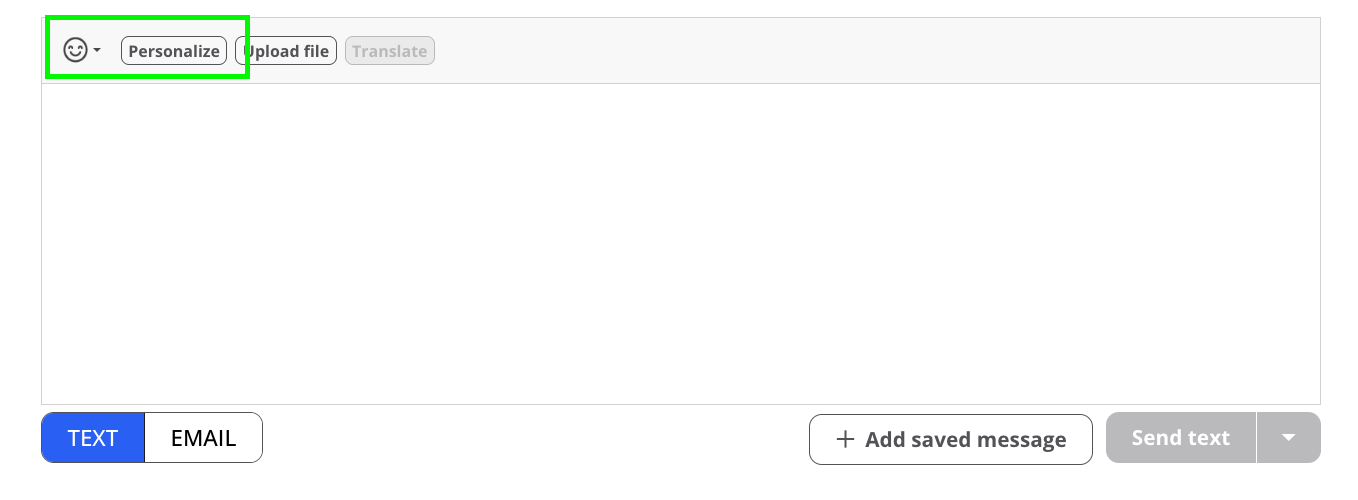
- Select the profile field you’d like to include.
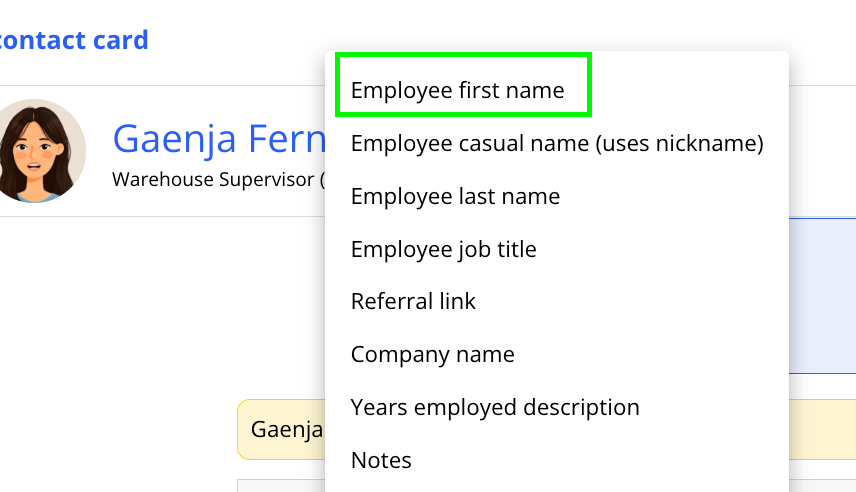
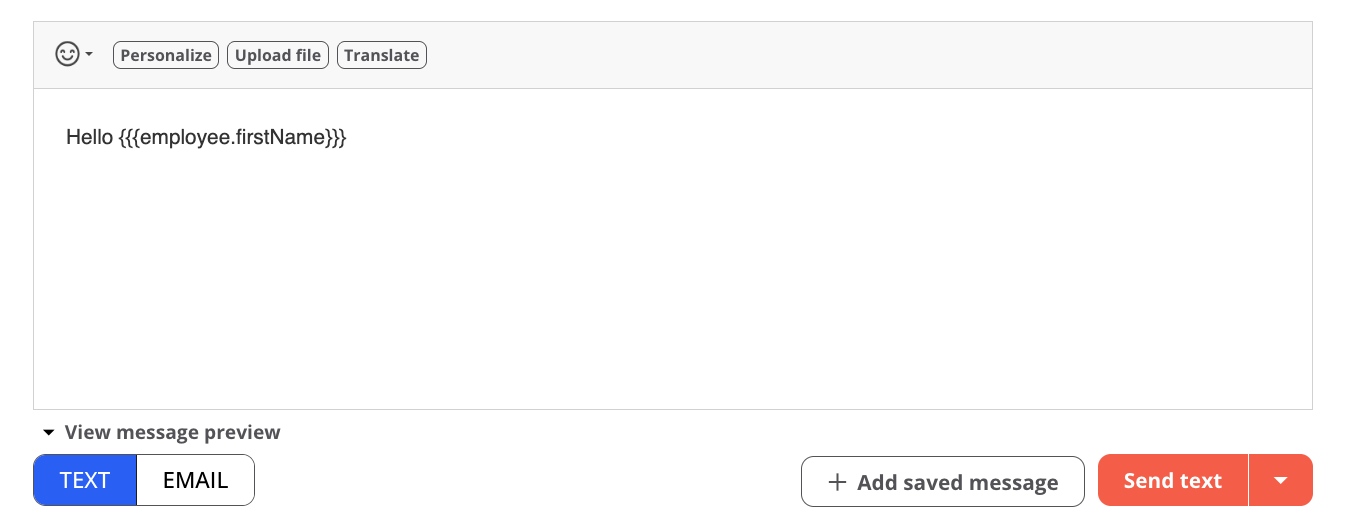
- The selected information will automatically appear in your message.
Note: Do not remove or edit the personalization variable. Keep it as-is so the correct recipient information can be populated when the message is sent.
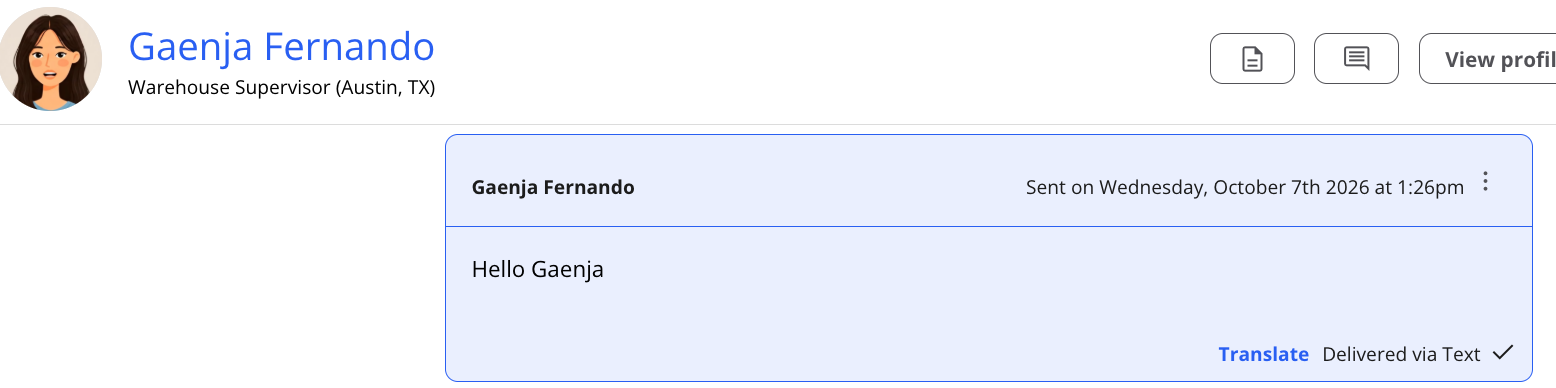
This is a simple way to make everyday communication more personal, consistent, and effective.