
How Do I Track Employee Referrals?
Team Engine lets you monitor employee referrals, see their application progress, and identify which employees referred each applicant.
What Happens When You Receive a Referral?
- Email notifications: Receive an email when a referral is submitted and when they apply for a job.
- Referral status: View all referrals and their current status in the Referrals tab.
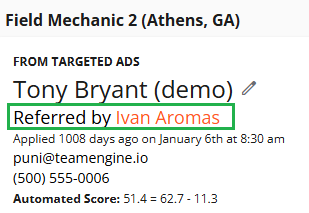
- Applicant profile: See which employee referred the applicant directly in their profile.
Where to Find Referrals
- Open the Referrals tab to view submitted referrals and their status.

- Check your email for referral updates.
- Open an applicant's profile to see the employee who referred them.
You can also manually add referrals from the Referrals page.