
How Can I Download Employee Survey Responses?
Team Engine organizes employee survey responses in one place, making it easier to review feedback, monitor participation, and identify trends without opening individual text messages.
View Survey Results
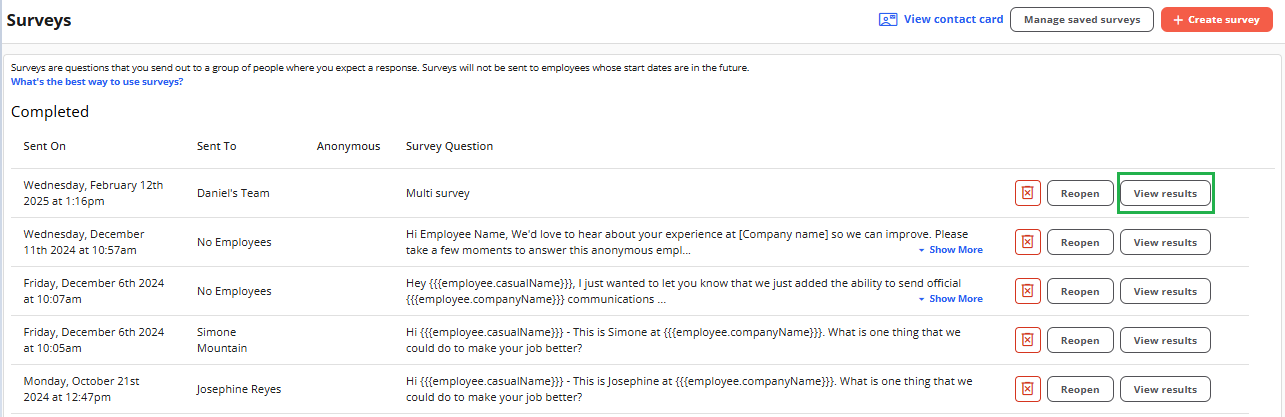
- Navigate to Surveys Module in the sidebar menu.
- Open the survey you want to review.
- Review the available responses and delivery information.
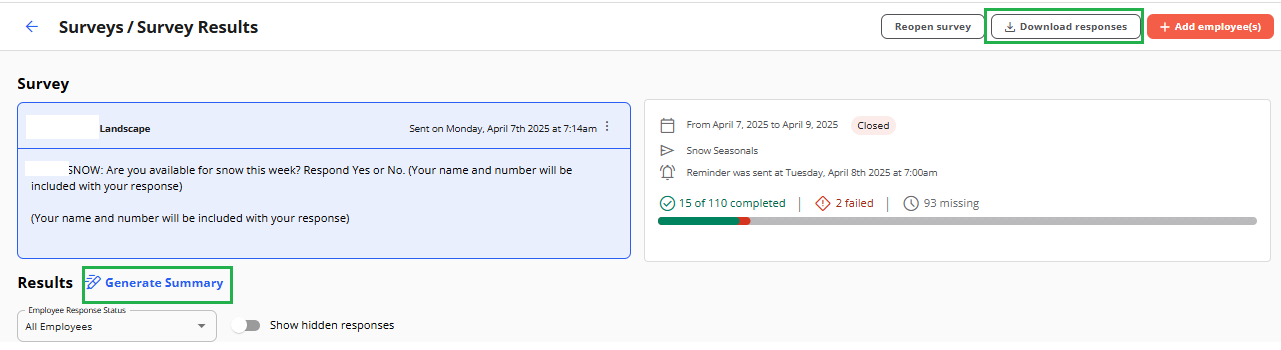
From the results view, you can:
- See which employees have responded.
- Check whether survey messages failed to send.
- Sort results by employee name or date by clicking the relevant column header.
- Review responses in an organized view.
Export Survey Responses
You can download survey responses as a spreadsheet for further analysis, reporting, or recordkeeping.
Open the survey results and select the available download or export option.
Generate an AI-Powered Summary
Use Generate Summary to create an AI-powered overview of survey feedback, including insights and suggested next steps.
This can help you identify recurring themes and areas for improvement without reviewing every response individually.
Review the generated summary alongside the original responses before making decisions based on employee feedback.
Use Survey Feedback to Improve Employee Experience
Consider reviewing survey results regularly to identify opportunities to improve onboarding, employee engagement, and retention.
Following up on feedback helps employees understand that their input is valued and that their responses can lead to meaningful improvements.