
How Do I Send Messages in Spanish?
Team Engine allows you to send messages and announcements in employees’ preferred languages. To use automatic English and Spanish messaging, you’ll first need to set each employee’s language preference. You can then translate individual messages or send group announcements in both English and Spanish.
Steps to Set an Employee’s Language Preference
You can set an employee’s language preference in one of two ways:
- Upload an employee directory: Upload an employee list that includes each employee’s language preference. Learn how to set up your employee directory.
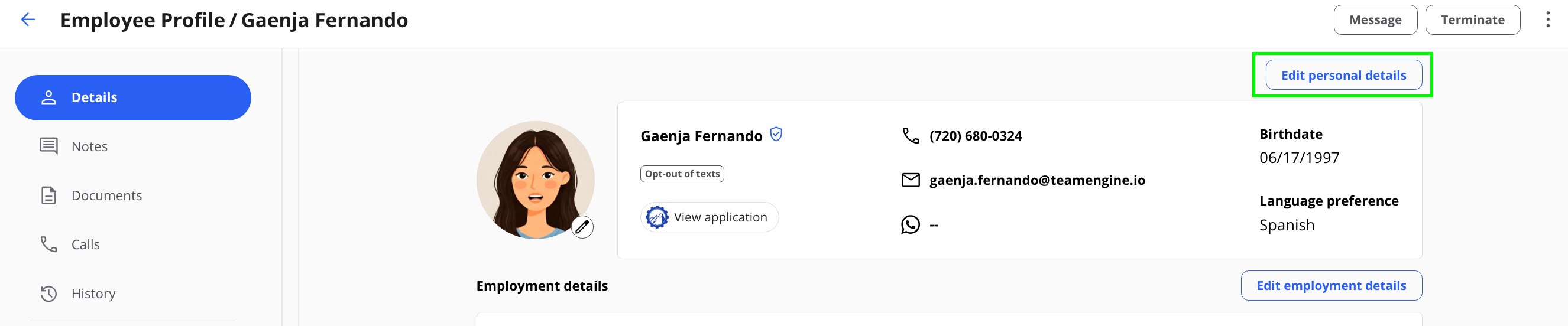
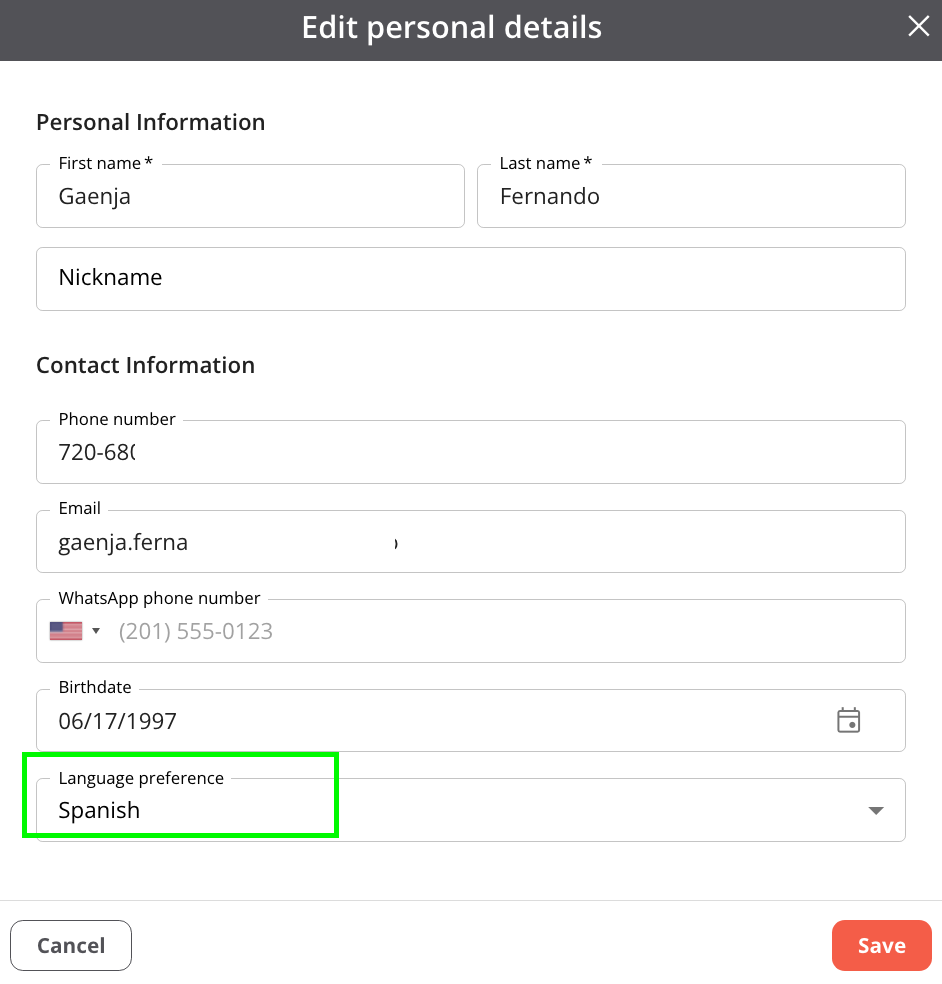
- Update the employee’s profile:
- Navigate to your employee directory.
- Select the employee’s name.
- Click Edit Personal Details.
- Find Language Preference and select the employee’s preferred language.
- Save your changes.
Steps to Send a One-on-One Message in Spanish
- Navigate to the Employee Engagement Module (Messages from the side menu)
- If the employee prefers Spanish, Team Engine will notify you of their language preference.

- Type your message in English in the message box.

- Click the Translate button at the top of the text box and select Spanish.
- Review the translated message and send it to the employee.

To translate an employee’s reply: Click the translate button in the bottom-right corner of their message to view the translated text.
Steps to Send Announcements in English and Spanish
- Navigate to the announcements feature and create your announcement.
- Enter your announcement in English.
- If the recipients have different language preferences, Team Engine will display a notification below the message box.
- Click the notification to add a separate text box labeled Spanish.
- Enter the Spanish translation of your announcement in the Spanish text box.
- Review both versions and send the announcement.
Team Engine will automatically send the English version to employees who prefer English or have no language preference, and the Spanish version to employees who prefer Spanish.
Best Practice
Although AI translation tools can be helpful, we recommend having a Spanish speaker review the translated message before sending it to ensure the wording is accurate, clear, and appropriate for your employees.